Settings and MIDI
Two panels open from buttons in the preset browser's header: Settings, the gear, and MIDI Mappings, the MIDI socket. Opening one closes the other, and ◀ Close returns to the browser.
None of these belong to a preset. Some are saved on your machine and are the same in every project; the rest are saved with your DAW project. Each field below says which.
Settings
Audition
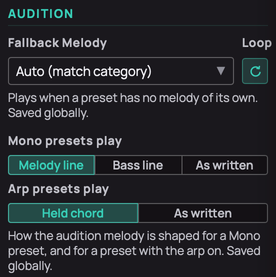
- Fallback Melody and Loop — what Audition plays for a preset with no melody of its own or from its pack: the melody for its category, or one you pick for all. Loop repeats it instead of playing it once. The melody choice is saved on your machine, Loop with the project.
- Mono presets play — what Audition plays on a Mono preset: the top note of each chord, the bottom note, or every note as written. Saved on your machine.
- Arp presets play — with the arpeggiator on, Audition either holds the melody's notes as a chord for the arpeggiator or plays them as written. Saved on your machine.
Tuning
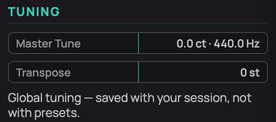
- Master Tune — the concert-pitch reference, ±100 cents; the readout shows the resulting A. Drag, or double-click to reset. Saved with the project.
- Transpose — shifts the keyboard by up to 24 semitones either way. Notes already held keep their pitch. Saved with the project.
Arpeggiator
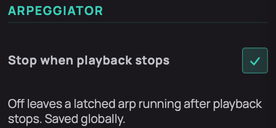
- Stop when playback stops — on, a Hold-latched arpeggio stops when the DAW stops or the audition ends; keys you hold keep playing. Saved on your machine.
Visuals
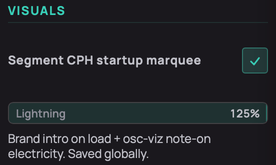
- Segment CPH startup marquee — plays the intro when the window opens. Clicking the logo replays it either way. Saved on your machine.
- Lightning — how strong the flash on the oscillator display is when a note starts, 0–125 %. Display only. Saved on your machine.
Randomizer
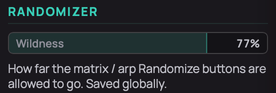
- Wildness — how far the Randomize buttons on the matrix and arpeggiator may go, 0–100 %. Saved on your machine.
Metering
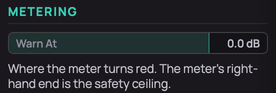
- Warn At — the level at which the output meter turns red, −42 to +12 dB, measured after Volume. Saved with the project.
MIDI mappings
Every controller assignment made with MIDI Map in the Toolbar. Mappings are saved with the project, not in presets. The Standalone keeps them when you quit and reopen it.
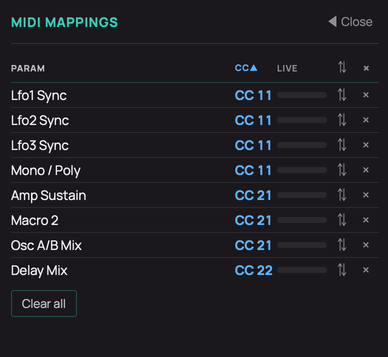
- Param and CC — the control and the controller number mapped to it. Click either heading to sort, and again to reverse.
- Live — the value arriving from the controller right now, 0–127.
- ⇅ Invert — makes the controller move the control the other way.
- × Remove — deletes that one mapping.
- Clear all — deletes every mapping, after asking. It cannot be undone.